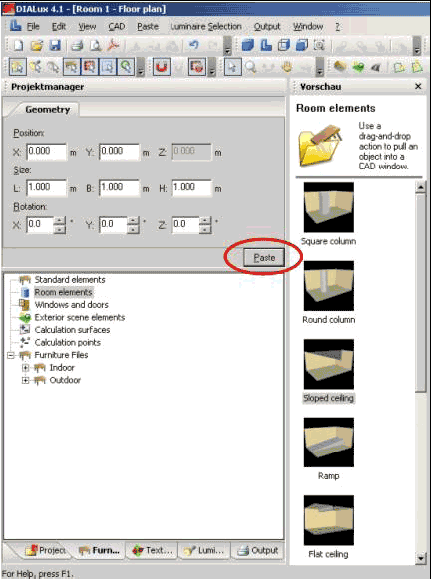
You can also insert objects numerically by entering coordinates in the furniture Property Page within the Inspector. Select the object in the furniture tree, enter the desired position in the Inspector and click on Insert.
Fig. 107 Edit rooms – Insert room elements via Property Page